
POS software

Retail POS Software with Live Inventory Sync

Run in-store billing while keeping sales, inventory and connected retail channels aligned. ElintOm POS connects the checkout workflow with the inventory record used across your stores, warehouses and supported sales channels.

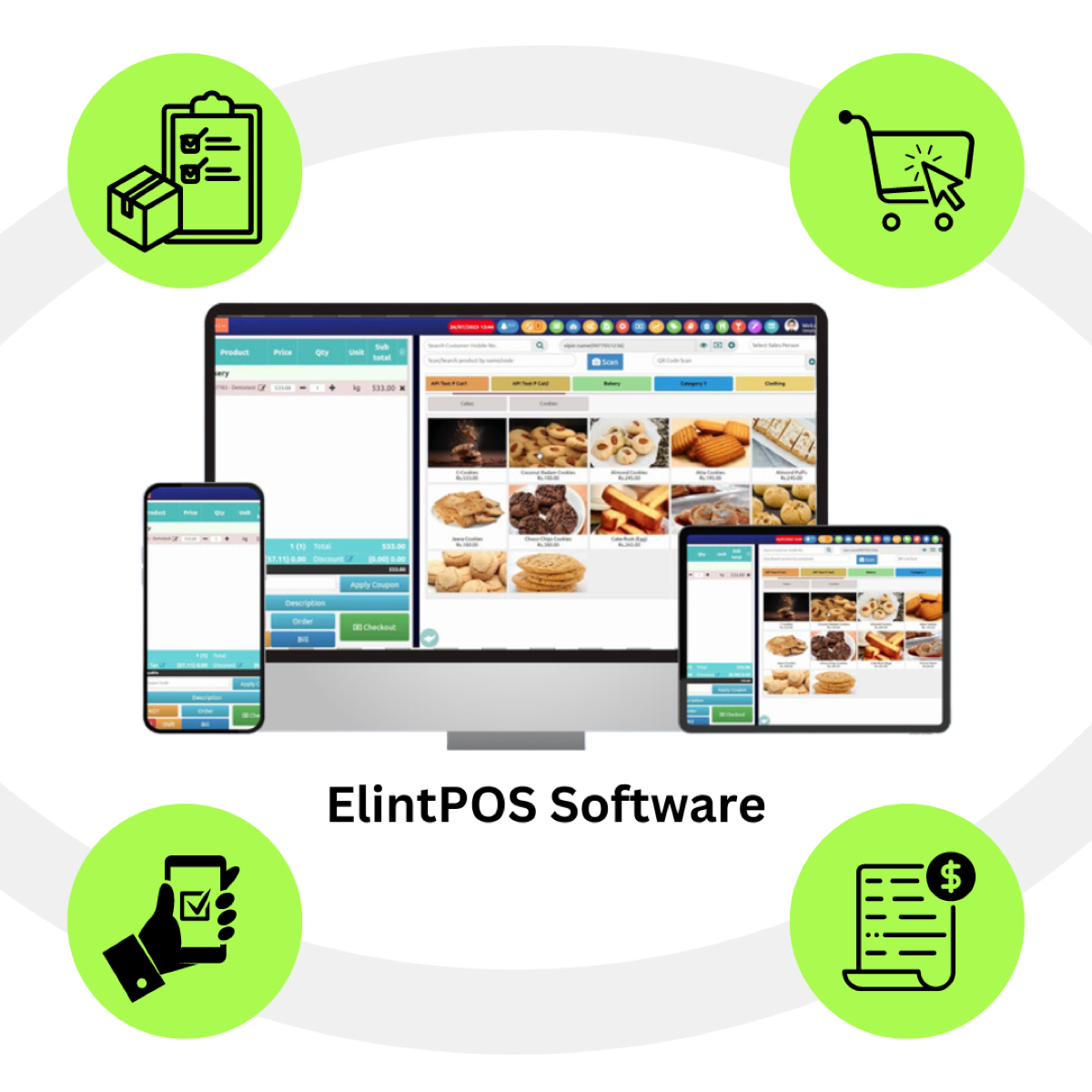
ElintOm POS billing screen with product search, quantity, barcode scan, and checkout
  • In-store billing
  • Inventory connection
  • Multi-store operations
  • Supported online channels
  • Store reporting

Your POS should not create another inventory problem

Common retail problems

  • Sales recorded separately from inventory
  • Different stock counts across channels
  • Manual reconciliation between the till and online orders
  • Limited store-level visibility
  • Cashier activity that is hard to read back
  • Warehouse stock that does not match what the store sold
  • Duplicate product and SKU information
  • Manual stock corrections after billing

Connected ElintOm approach

  • The bill posts to the inventory record for that SKU
  • Store, warehouse, and webshop use that record
  • Online orders on supported channels deduct the same stock
  • Each branch can be read on its own
  • Sales by cashier and shift are in store reports
  • Transfers move quantity between locations
  • One catalog for the product and its barcode
  • The sale is the stock movement, not a later correction

A retail POS that works with your inventory

A POS should do more than create a bill. ElintOm connects the sale with the inventory record so your team can work from the same product and stock information across the retail operation.

ElintOm checkout with product, quantity, and barcode scan

One sale. One inventory record.

When a product is sold at the counter, the sale is connected to the relevant SKU and inventory workflow. The business keeps one stock position instead of reconciling a separate till record after the sale.

  1. 01

    Customer

    The sale starts at the counter.

  2. 02

    POS checkout

    The cashier builds the bill.

  3. 03

    SKU / product

    The line is the catalog item.

  4. 04

    Inventory update

    The completed sale posts to that SKU.

  5. 05

    Store, warehouse, channels

    The same record is what those workflows use.

Everything your retail team needs at the counter

Billing

  • In-store billingBuild the bill and check out at the register.
  • Product / SKU lookupSearch the catalog by product name or code.
  • Barcode billingScan a 1D or QR code onto the bill.
  • Order on the billHold the sale as an order, then check out.
  • Payment on the billRecord how the bill was paid. Reports split sales by payment mode.

Inventory connection

  • Sales-linked stockThe completed bill posts to the SKU inventory record.
  • Product-level inventoryStock is kept against the product, not a separate till list.
  • Store-level stockA branch sees its own quantity where multi-store is enabled.
  • Stock visibilityThe same record is what warehouse and webshop workflows read.

Store operations

  • Cashier activitySales can be read by the person who billed them.
  • Store reportingDaily sales, hourly sales, discounts, and voided bills.
  • Local pricingA branch can use its own price where that setup is enabled.
  • Shift reportingReports include the cashier and the register for that shift.

Omnichannel connection

  • Webshop inventoryThe ElintOm webshop sells from the same stock as the POS.
  • Aggregator ordersSwiggy, Zomato, and Dunzo arrive through UrbanPiper.
  • WarehouseWarehouse quantity and transfers use the same inventory record.
  • One catalogThe product and barcode at the till are the catalog item.

From barcode scan to completed sale

This is the scan inside POS billing. Barcode setup for the catalog is on the inventory and barcode page.

  1. 01

    Scan

    Read the product barcode at the counter.

  2. 02

    Identify

    Match the barcode to the product or SKU.

  3. 03

    Add to bill

    Add that product to the customer’s bill.

  4. 04

    Complete payment

    Take payment and close the transaction.

  5. 05

    Update inventory

    Post the sale against that inventory record.

  6. 06

    Continue selling

    The product stays available for the next bill.

Why connect POS with inventory?

Traditional POS workflow

  • Sales recorded separately
  • Manual stock reconciliation
  • Different channel quantities
  • Limited store visibility
  • Manual product lookup

ElintOm connected workflow

  • POS-linked inventory
  • Connected product and SKU data
  • Shared inventory workflow
  • Store-level visibility
  • Barcode and SKU identification

Keep store and online inventory connected

When the same product is sold in a store and on a connected online channel, the business needs one inventory record. ElintOm posts POS activity to the inventory workflow those channels use.

Store POS

Counter bills post to the SKU.

ElintOm webshop

Catalog, cart, and checkout use the same stock.

UrbanPiper

Swiggy, Zomato, and Dunzo orders for restaurant brands.

Warehouse

Quantity and transfers stay on the same record.

Connected inventory

One product record for the channels that are actually connected.

Direct Amazon and Flipkart marketplace connectors are planned. They are not live, and they are not the UrbanPiper connection. A Shopify integration is not claimed on this page. Channel setup for a specific business is confirmed on a demo. Read the webshop and aggregator page for that scope.

Run multiple stores from a connected POS system

Where multi-store billing is enabled, head office keeps the catalog and each branch bills from its own stock.

Store 1
Store 2
Store 3
ElintOm
Central inventory and reporting
  • Store-level sales
  • Store-level inventory
  • One product and SKU catalog
  • Branch prices where that pricing is enabled
  • Transfers requested, approved, dispatched, and received
  • A consolidated view for head office, and one branch for a store manager

Understand what is happening at each store

Store reports read the POS record. They include cashier activity, daily and hourly sales, payment mode, discounts, voided bills, and the register for that shift. Filter by branch where the account has more than one store. Exports are Excel, PDF, and CSV. The full list is on the reports page.

Store report
  • Daily and hourly sales By day, product, category
  • Payment mode How bills were paid
  • Cashier Who billed the sale
  • Shift register The counter for that shift
  • Discounts and voids What was marked down or voided

Connect with your existing retail setup

Businesses with existing POS hardware may be able to connect supported systems through the available API instead of replacing every checkout. The API covers catalog, stock, and orders, with an API key and user token. ElintOm’s own terminals use ESC/POS printers, scanners, and cash drawers. Exact models and any third-party checkout are confirmed before a rollout.

Talk to an Expert

This is not a promise that every till, printer, or marketplace will connect. See API and webhooks and supported hardware.

POS software for modern retail operations

Retail stores

Supermarkets, grocery, fashion, electronics, and specialty retail that bill at a counter and need the sale on the inventory record.

Multi-location retail

Retail chains, multi-store businesses, and regional retailers that need branch stock with a head-office catalog.

Omnichannel retail

Stores that also sell through the ElintOm webshop or a supported channel such as UrbanPiper for Swiggy, Zomato, and Dunzo.

The billing screen, the stock post, and the store report

The billing image is the ElintOm POS screen. The inventory and report panels show the fields those workflows use. They are not a second product screenshot.

ElintOm POS billing screen with products, quantity, scan, and checkout

Fast in-store billing

Look up the product, scan a barcode, set the quantity, and check out. The same screen is what the cashier uses to close the bill.

Inventory postFrom the bill
SKU Store Qty Record
Catalog item Billing branch Units on the bill Posted to inventory
Same barcode Warehouse Transfer, when used Same product record
Same catalog Webshop Online order Same stock

Sales connected to inventory

The completed bill posts the SKU and quantity to the inventory record for that store. Warehouse transfers and webshop orders use that product, not a second list.

Store performance
  • Sales Day, hour, product, category
  • Cashier and shift Who billed, which register
  • Payments Mode on the bill
  • Branch One store or the network

Understand store performance

Read sales, cashier, shift, and payment activity from the POS record. Export the report instead of rebuilding it from the till tape.

How ElintOm POS works

  1. 01

    Configure products and SKUs

    Add the catalog items and barcodes the store will sell.

  2. 02

    Set up the retail workflow

    Registers, branch prices where used, and the people who can bill.

  3. 03

    Connect supported inventory and channels

    Warehouse stock, the webshop, and UrbanPiper where that channel is in scope.

  4. 04

    Bill customers at the store

    Scan or search, then take payment on the bill.

  5. 05

    Update the inventory record

    The completed sale posts to that SKU.

  6. 06

    Review store and sales activity

    Read cashier, shift, and store reports from the same data.

Retail POS software for businesses in India and the UAE

ElintOm supports retail businesses operating across India and the UAE with connected POS, inventory, and retail workflows. City names below are where teams operate and where retailers ask for the product. They are not separate location pages.

India

Pune · Mumbai · Bengaluru · Delhi NCR · Hyderabad · Chennai · Ahmedabad · Jaipur · Kolkata · Kochi

UAE

Dubai · Abu Dhabi · Sharjah · Ajman · Ras Al Khaimah · Fujairah

Why retailers connect POS with ElintOm

Better inventory visibility

Keep sales activity on the inventory workflow instead of a till total that never meets the stock list.

Fewer manual reconciliations

Reduce the need to compare a separate POS export with the stock record after the shop closes.

Connected retail operations

Bring stores, inventory, the webshop, and supported sales channels into one workflow.

Better store-level visibility

Read sales and cashier activity for a branch, and roll the network up where multi-store is enabled.

FAQ

Retail POS Software FAQs

What, how, why, when, where, who, and which - short answers about the product, the company, and how to get in touch.

Retail POS software is the checkout a store uses to find a product, build a bill, take payment, and record the sale. ElintOm POS does that on the same product catalog and inventory record as the rest of the retail operation.

A completed sale is posted against the SKU on the bill. That updates the inventory record used by the store, the warehouse, and the ElintOm webshop, instead of leaving a separate till total to reconcile later.

Yes. USB and wireless scanners can read 1D and QR codes at billing. The scan matches the barcode to the product or SKU and adds it to the bill. Scanner setup on the Android POS is part of store onboarding.

The ElintOm webshop sells from the same stock as the POS. Restaurant brands can also receive Swiggy, Zomato, and Dunzo orders through UrbanPiper, and those orders deduct the same stock. Direct Amazon and Flipkart connectors are planned and are not live. This page does not claim a Shopify integration.

Yes, where multi-store billing is enabled for the account. Head office keeps one catalog. Each branch keeps its own stock and registers, and can use its own prices where that pricing is turned on. A transfer is requested, approved, dispatched, and received as separate steps.

ElintOm runs on Windows touch terminals and Android handheld units, with supported ESC/POS receipt printers, barcode scanners, and cash drawers. If you want to keep a different checkout system, the available API covers catalog, stock, and orders. Compatibility is confirmed on a demo. ElintOm does not connect to every POS.

Yes. Warehouse quantities and transfers sit on the same inventory record as store sales. A counter sale and a warehouse movement are not kept in two stock lists.

Retail stores, multi-store businesses, and retailers that also sell through the ElintOm webshop or a supported online channel. It is offered for businesses operating in India and the UAE.

Yes. India is the primary market. The India team is based in Pune, with a Mumbai office. GST summaries and NIC e-invoice for eligible B2B invoices are covered on the accounting page. Not every cash bill is an e-invoice.

Yes, after India. UAE retailers use the same platform, with a local contact in Sharjah. This page does not claim FTA approval or Peppol certification.

See how ElintOm POS fits your retail workflow

Book a 15-minute demo to see how ElintOm connects retail billing with inventory, stores, warehouses, and supported sales channels.